Who can do what, and what it all earned
Access set area by area and site by site, revenue broken down by where it came from, and one page that tells you whether the hardware is up. The two questions an operator cannot answer from a spreadsheet.

Two people, one login, and nobody can prove what happened
It works while you are one car park. At five, the warden needs the fines screen but not the bank details, the accountant needs the revenue but should not be editing zones, and the new starter needs one site rather than the portfolio. Sharing one administrator login is how that gets solved in practice, and it is the thing that fails an RFP.
- A single shared login nobody wants to admit to
- No way to give someone one site and only one site
- Revenue arriving as a total, with no idea which site earned it
- A camera stops reading plates and you find out from a complaint

What you get control of
Access, money and hardware, all in the same place they are administered from.
Access set per area
Read, write or admin, set separately for fines, permits, zones, reports and users, rather than one role that covers everything.
Restricted to their sites
A user can be limited to specific locations, so a warden or a building manager sees their own car parks and nothing else.
Grouped, not repeated
Bundle a set of rights and a set of sites into an access group, then put people in it, instead of ticking boxes for each new starter.
Revenue by where it came from
Permits, fines, subscriptions and collections separated out, rather than a single figure you have to take on trust.
Statements and payouts
Generate a period statement per site, see the payout split, and send the invoice, with the numbers coming from the same records the notices did.
A status page for the kit
Whether the equipment is up, how it has looked over the last month, and whether that meets the uptime you were promised.
There are no job titles, only combinations
OPARKO has no fixed roles to pick from. You set a level for each area of the platform, so a role is whatever mix that person needs. Four examples of how operators tend to put them together:
| Area | Warden | Site manager | Finance | Administrator |
|---|---|---|---|---|
| Fines | Write | Write | Read | Admin |
| Permits | Read | Write | Read | Admin |
| Zones | Read | Write | None | Admin |
| Camera settings | None | Read | None | Admin |
| Reports | None | Read | Write | Admin |
| Finance | None | None | Read | Read |
| Users | None | None | None | Admin |
Open it and look. Nothing can be changed.
Create and edit. Covers everything Read does.
Full control of that area, including deleting. Covers everything Write does.
Levels are cumulative: each one includes everything below it. For any role, in any area, choose between read, write, admin, or none, so access matches exactly what that role needs. Leave an area at None and it does not appear for that user at all.
And where, not just what
A level answers what someone may do. It does not answer where. Those are set separately, so the same rights can apply to one site or to the whole portfolio.
- Limit a user to named locations, and every screen and every report they open is filtered to those locations
- Bundle rights and locations together as an access group, then add people to it
- Give another organisation in your account access to a site you own, without giving them the rest
Getting it in order
Usually a morning, and mostly a conversation about who should see what.
List the jobs
Not the people. Warden, site manager, bookkeeper: the handful of shapes you actually have.
Set a level per area
For each job, decide read, write, admin or nothing, area by area.
Attach the sites
Say which locations each job covers, so the rights land somewhere specific.
Save it as a group
Keep the combination, so the next starter is one assignment rather than a rebuild.
Move people in
Existing users get put into groups, and the shared login can finally be retired.
Where the money came from, and whose it is
Parking revenue arrives from several places at once and is rarely all yours. The breakdown is built in rather than reconstructed afterwards.
Split by source
Permits, fines, subscriptions and post-collections reported separately, so a good month is attributable rather than mysterious.
Split by whose share it is
A notice breaks down into your share, the guard's share and ours, at a percentage set per site that reflects how the notice arose, reported across open, paid, settled and cancelled.
Payment state, not just totals
Subscriptions carry a real payment lifecycle: authorised, paid, unpaid, failed, cancelled, so you can see what is collected and what is stuck.
Statements out to accounting
Generate a statement for a site and a period, see the payout breakdown, send the invoice, and hand the figures to your accounting system.
And a page that says whether it is all up
Cameras report in, so the question "is the equipment working" has an answer that does not involve driving to the site. Each monitored piece of equipment carries a target, and the last thirty and ninety days are measured against it, so a service agreement is something you can check rather than something you hope about.
- One view: operational, or a disruption in progress
- A day by day history for the last month
- Availability over 30 and 90 days against the target you were given
- Meeting it, at risk, or breached, stated plainly
Your own cameras and app are the record
The occupancy, the sessions and the enforcement records originate in OPARKO cameras and the OPARKO app rather than being bought in or estimated from another provider's feed. Before a notice goes out we also check whether the driver already holds parking somewhere else, so the enforcement evidence and the finance reporting stay two views of the same records.
- Plate reads come from cameras on your site
- Sessions come from the app and from those reads
- Parking already paid for elsewhere is checked before a notice is issued
- Reporting is built from those records, not a separate pipeline
The guardrails around all of it
Access control is only worth anything if it cannot be talked around.
Nobody hands out more than they hold
When someone sets up a colleague, the levels on offer are capped at their own for that area. An operator cannot promote anyone past themselves.
Site boundaries are enforced on the data
A restricted user is filtered at the point the records are fetched, not hidden in the interface, so the limit holds however they arrive.
Features on or off per organisation
Individual actions can be switched off for an organisation entirely, so a capability nobody should use is not simply left to permissions.
Platform-level actions held back
A small number of operations sit above ordinary administrators and are reserved separately.


From one site to a portfolio
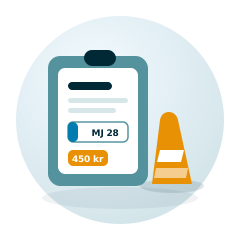
The access model and the reporting are the same shape whether you run a single car park or a national estate.






Questions about access and reporting
Can we stop a warden seeing revenue figures?
Yes. Finance is its own area, so it can be left off entirely for a warden while they still have write access to fines. Areas set to nothing do not appear for that user at all.
Can somebody be limited to one shopping centre?
Yes. Users can be restricted to named locations, and the restriction is applied when records are fetched, so every screen and every report they open is already filtered to their sites.
Is creating users limited to one person?
No. Anyone with write access to the users area can create and edit users, so you are not dependent on a single account holder being available.
Can an administrator give someone more access than they have themselves?
No. The levels offered when setting somebody up are capped at the levels that person holds for that area, so an operator cannot promote a colleague past themselves.
Do we have to use your reporting, or can we get the numbers out?
Both. There is reporting in the platform, statements you can generate per site and period, and an integration to hand the figures to your accounting system.
How do we know the cameras are actually working?
Equipment reports in and appears on a status view with a day by day history, and availability over the last thirty and ninety days is measured against the target for that site.

Retire the shared login
Tell us how your team is organised and we will show you what the access model looks like for it.