

I received a parking fine even though I paid
TL;DR
- Many drivers receive unjust parking fines due to app errors (e.g., typos in the license plate, incorrect time selection, or technical glitches).
- Always keep your digital receipt, screenshots, and photos of the location – these are crucial for an appeal.
- Do not pay the fine immediately if you intend to contest it. Submit your documentation to the operator first.
- Common mistakes (like a “keying error” with one wrong digit or signal failure) can often lead to a cancelled fine if documented correctly.
- Use parking apps carefully: Always double-check the license plate, zone code, and duration before confirming.
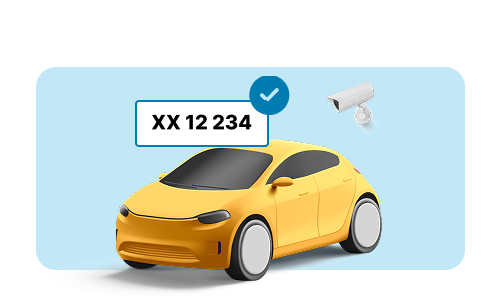
- OPARKO offers a digital platform with Automatic Number Plate Recognition (ANPR), which reduces errors and automates administration for parking operators.
In short: If you get a ticket despite paying, document everything, appeal quickly, and consider how smarter digital solutions can prevent this in the future.
What to do if you receive a fine despite paying?
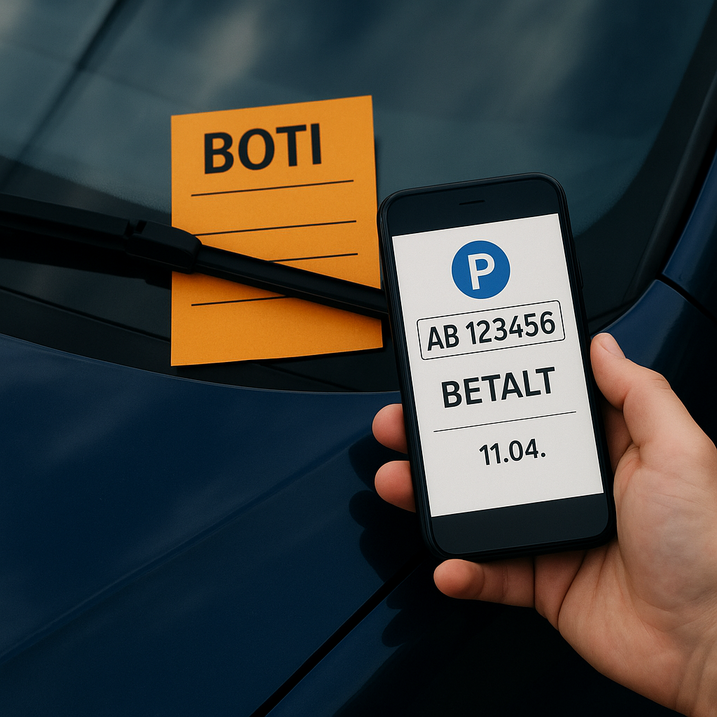
Receiving a parking ticket or “Parking Charge Notice” despite having paid is both frustrating and unjust. Many drivers experience situations where the payment went through correctly, yet a ticket still appears on the windshield or in the mail. The cause can range from technical glitches in a parking app to a simple typo in the license plate number. Here is a step-by-step guide on how to handle the case and ensure your parking is managed correctly moving forward.
Why do you get a fine even if you paid?
There are several reasons why a fine might be issued despite a payment attempt. Many of these situations are caused by human error or technical issues in parking apps.
- Keying Errors: A simple typo in the license plate number (e.g., swapping a ‘0’ for an ‘O’) means the valid payment isn’t linked to your vehicle.
- Incorrect Time or Zone: Selecting the wrong zone code via GPS drift or ending the parking session too early.
- Technical Glitches: The app may crash or lose signal, meaning the payment was never registered in the operator’s system.
- Display Issues: Failure to display a physical ticket or disc properly in areas where digital enforcement isn’t fully active.
- Private Restrictions: Violation of specific local rules on private land that differ from public street parking.
- Delayed Payment: Paying for the parking session after the enforcement officer has already logged the vehicle.
Errors within parking apps are a major source of disputes globally. It is essential to know how to prove your parking was legal.
How to document correct payment
The first step to getting an unjust parking fine cancelled is gathering all relevant evidence. This documentation is critical to prove that a mistake occurred during the processing of your parking session.
- App Receipt: Parking apps keep receipts in the history tab. Locate the entry showing the date, time, license plate, and zone.
- Bank Statement: If the app history is unclear, a screenshot of the transaction on your bank statement proves money was taken.
- Photos from the Scene: Take photos of your car’s position, the signage, and any payment machines. This can refute claims about unclear signage or wrong zones.
- Timestamps: Note the exact time you parked, the time the fine was issued, and the time your payment was processed.
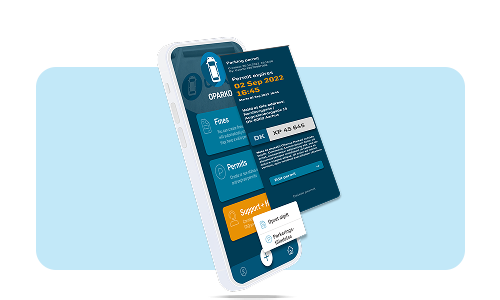
At OPARKO, we offer digital parking solutions where permits, enforcement, and payments are handled centrally via one platform. This minimizes these types of errors using Automatic Number Plate Recognition (ANPR) and live updates.
What to do if you receive a ticket from an app or private operator?
- Find the receipt in your app and compare it strictly with the time and location on the ticket.
- Check if you entered the correct license plate. Many fines are triggered by “minor keying errors.”
- Contact the parking operator’s customer service or appeals department. Submit your documentation digitally (usually via their website) to create a paper trail.
- Request evidence from them, such as time-stamped control photos of your vehicle.
- Wait for a response – response times vary by country, but usually take between 14 to 30 days.
Important: In most jurisdictions (including the UK, US, and EU), you should not pay the fine while the dispute is active. Paying is often interpreted as an admission of liability and closes the case.
Typical parking app errors – and how to avoid them
To avoid future fines despite paying, it is crucial to use parking apps diligently.
- Is the license plate number 100% correct? (Check for rental cars or spouse’s cars).
- Is the parking duration sufficient to cover your stay?
- Is the Zone Code correct? (Do not rely solely on GPS; check the physical sign).
- Did the payment actually process? (Wait for the confirmation screen).
If your app has technical issues, take a screenshot of the error message immediately. In many regions, independent appeals bodies (such as POPLA in the UK) have ruled in favor of drivers when app failures can be proven.
The correct appeals procedure: step by step
- Gather Evidence: Receipts, app data, photos, and witness statements.
- Submit a Written Appeal: Send a formal dispute to the issuer. Do this within the deadline stated on the ticket (often 14 or 28 days).
- Be Specific: State exactly what the error is. Was it a “minor keying error”? Was the signage unclear? Was it a technical app failure?
- Escalate if Needed: If the operator rejects your appeal, do not give up. In the UK, you can appeal to an independent body like POPLA or the IAS. In other regions, look for the independent adjudicator listed on the rejection letter.
Parking operators generally cannot charge you for processing a dispute, and pausing the fine during the appeal process is standard practice in many countries.
Examples of errors that often overturn fines
- Minor Keying Errors: The payment was made, but one digit on the plate was wrong. Industry codes of practice often require these to be cancelled or reduced to a minor administrative fee.
- System Failure: The payment machine was broken, and the app was down (proven by error logs).
- Unclear Signage: The terms and conditions on the signs were hidden, damaged, or contradictory.
These are exactly the types of friction points that can be avoided with a central digital platform like the one OPARKO offers.
A smarter and more secure way to handle parking
At OPARKO, we have developed a digital parking solution that prevents many of the errors that lead to unjust fines. By utilizing Automatic Number Plate Recognition (ANPR), automatic billing, and intelligent parking management, you can:
- Minimize administration and manual handling time.
- Increase revenue from your parking spaces.
- Access live data and digital enforcement 24/7.
- Ensure a correct and user-friendly experience for all drivers.
Whether you represent a housing association, a private landowner, a hotel, or a retail area, we adapt the solution to your needs, creating transparency and security in all aspects of parking operations.
Final advice
Receiving an unfair parking fine is stressful—but it is possible to win your appeal if you have your documentation in order and understand the rules. Always verify your details in the parking app, save your receipts, and appeal quickly and precisely if bad luck strikes.
For those managing parking areas, it is worth considering a digital platform like OPARKO—a solution that creates clarity, efficiency, and fewer errors.
Want to know more about how we can help you create a more reliable and user-friendly parking solution? Contact us for a no-obligation demonstration.
Related keywords
Parking app error · parking fine despite payment · appeal parking ticket · digital parking solution · parking management software · ANPR parking system · unfair parking charge · verify license plate · automated parking billing